This rotation, as mentioned here, was something I looked forward to before the rotations began, even moreso after I finished breaking character because I was excited to finally animate Mouse!
Firstly, we were given the brief for the rotation, which was to create a 5-8 second animation using Photoshop, applying the 12 principles of animation to them. We were told to use the motion plans we created in Breaking Character, and add colour (optional) and sound effects (mandatory) to the animation later on.
We were told to write our goals for this rotation, and this is what I wrote:
Learn how to animate mouse, show how his ears pop out and improve cel shading.
The reason why I wrote the last point is because before university I would draw realism/semi-realism, therefore I didn’t have the experience when making more cartoon drawings with simplified shading. When I would try, it wouldn’t look right, and so I focussed more on developing my skills with realism/semi-realism. By this time, I did begin drawing cartoon characters (also K-Pop related…), but I was mostly doing sketches instead of colouring/shading because I wasn’t comfortable with that yet.
We then were given a briefing on how to use Photoshop, before using the last hour to brainstorm animation ideas.
I really didn’t know what to animate at first, and navigating through Photoshop was still difficult despite the tutorial, and so I didn’t end up working on anything. But I still had an initial idea despite this setback, which was to animate Mouse transforming from a computer mouse (his form around humans) to a “real mouse” (his true form), inspired by Toy Story.
Overall, it was probably because I had such high expectations, but the first lesson felt like the energy from Jess’ rotation got seeped out of it. It wasn’t Mariana’s fault at all, and she taught really well, but I didn’t have as much enthusiasm when learning about the brief and thinking about what to animate. Plus, I really didn’t know why we were using Photoshop as a software, especially because it’s notorious for not being very user friendly or good with animation in general. I found it incredibly tedious to work with before I tried Animate instead out of sheer spite (but had to go back to Photoshop after Mariana saw me using Animate instead. Nevertheless I still enjoyed the lesson, and was still looking forward to animating Mouse and watching him come to life.
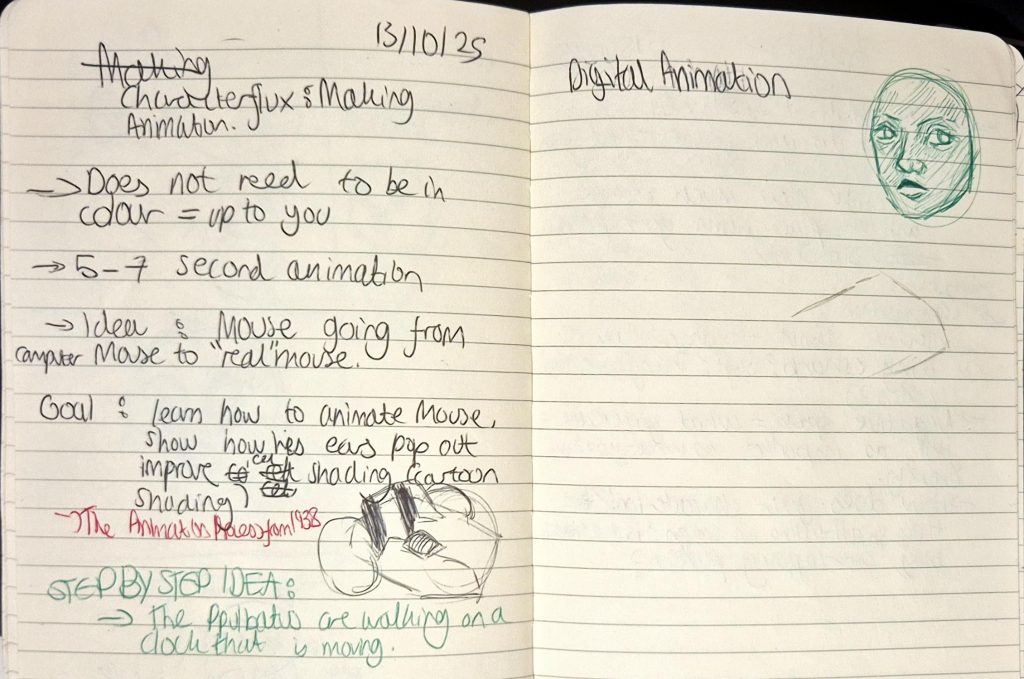
My notes
Leave a Reply