At the beginning of the Christmas holidays, I wanted nothing more than a break from the Out of your Head project. So naturally, I instead decided to conquer Blender.
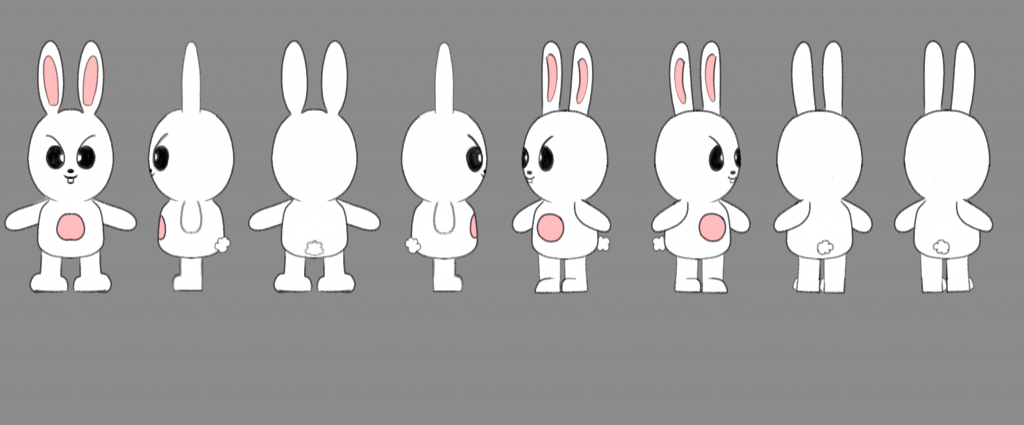
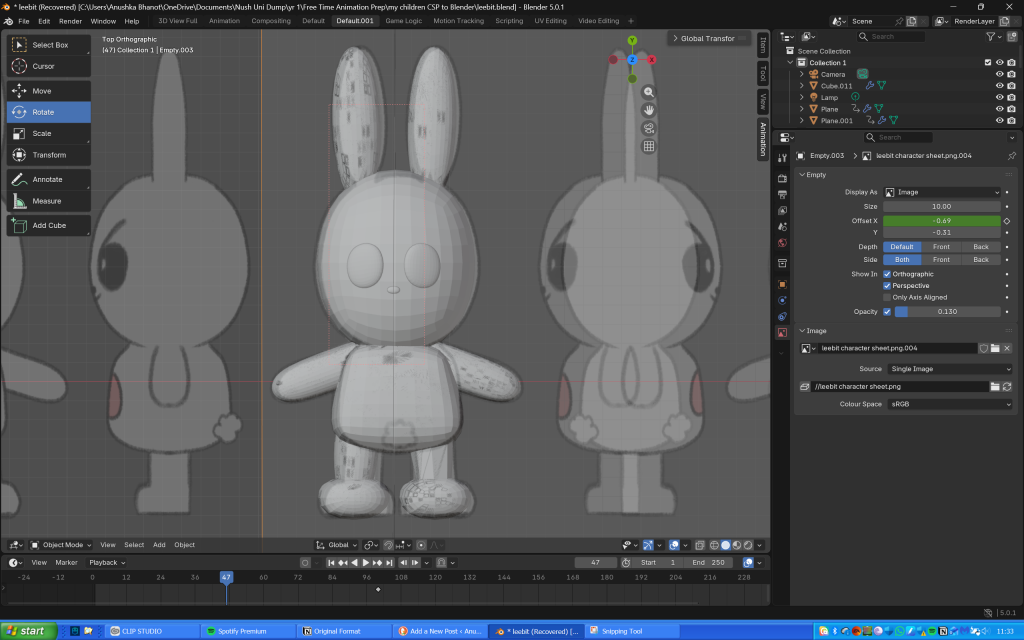
First, I created a character turnaround sheet of the character Leebit from the SKZOO merchandise franchise. He is usually my default option whenever I use a new drawing platform (mostly because he looks so silly, literally no other reason behind this choice).
Leebit’s character turnaround sheet
I watched a tutorial before the Christmas break but didn’t write any notes so I forgot basically everything, which is a great start. My laptop at the time was terrible, so I had to use the extremely old family iMac and download the 2015 version of Blender onto there. The interface looked so overwhelming at first, I really didn’t know how to begin. But I ended up watching a variety of tutorials (I usually don’t watch one because sometimes it doesn’t have what I’m looking for) and tried to get started.
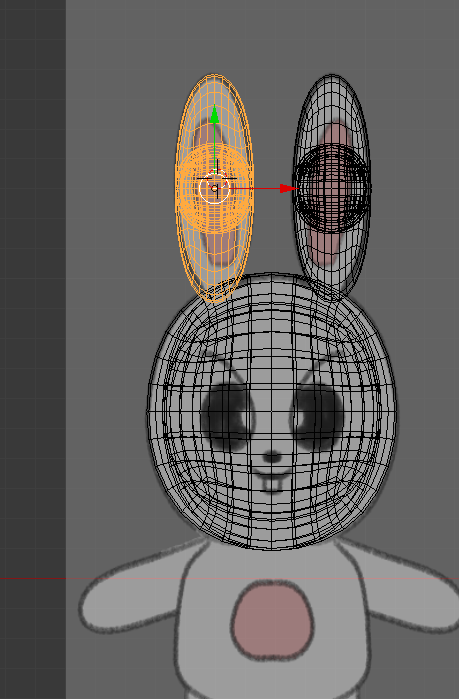
However, I reached some complications when trying to make the ears. Whenever I would extrude the sphere, another sphere would clone within, and I couldn’t delete it or ungroup it from the sphere I was working on. Moreover, there were no tutorials on how to ungroup or delete the duplicated sphere, so I left it as it was (it wasn’t visible unless you went on X-ray mode).
The error I encountered (in X-ray mode)
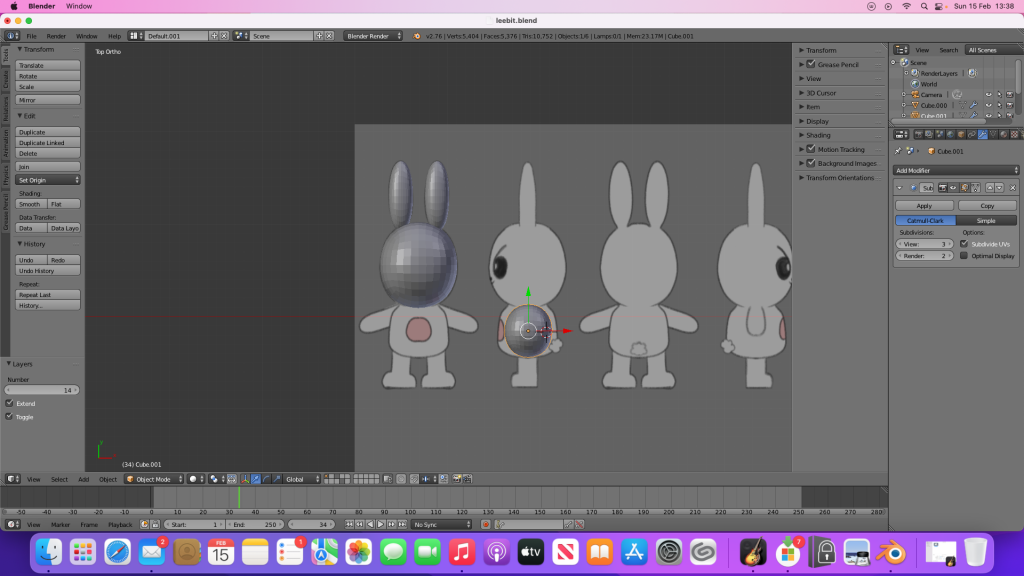
I successfully made the head (using separate spheres), but making the body was extremely difficult and I didn’t know what to search for to aid me, therefore I gave up and stopped working on the project for a while.
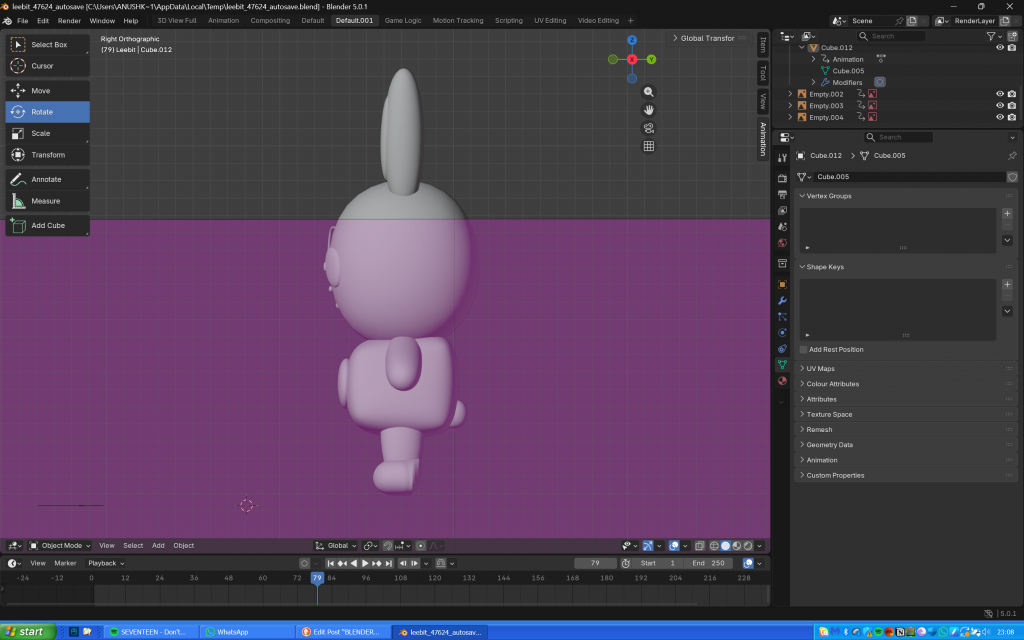
My progress before pausing the project
On Saturday (13th February), I downloaded Blender on my new laptop and decided to resume the project. The UI was so much easier to navigate, and I was able to successfully make Leebit’s body, alongside his arms and legs. Making his feet took longer as I didn’t know how to shape them and flatten the bottom, but I somehow managed.
My progress so far
Meanwhile I wrote every command I used since I kept forgetting when I worked on Leebit on the iMac back in December.
My notes
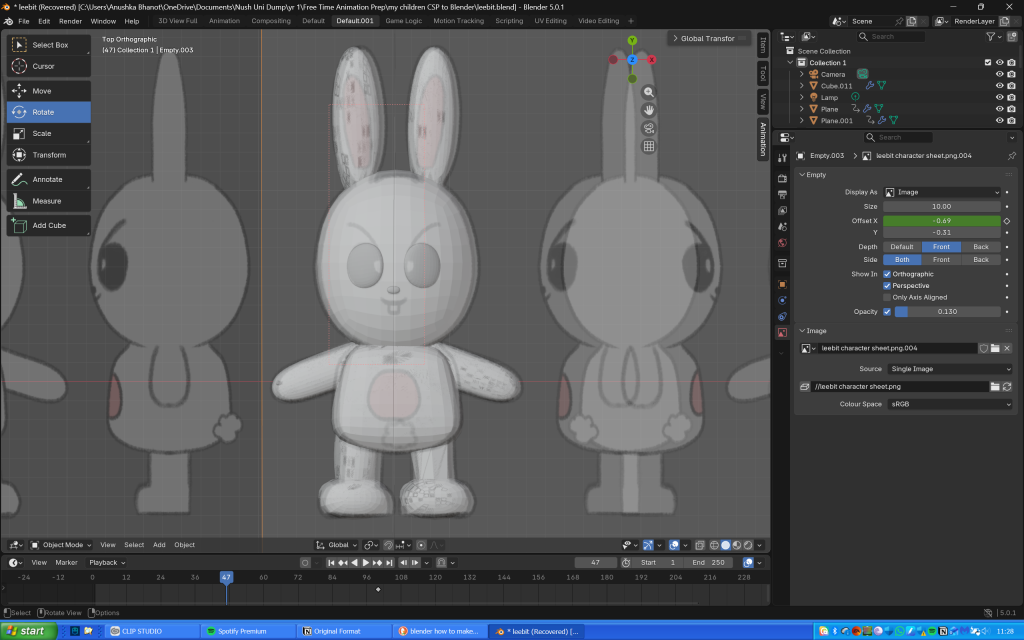
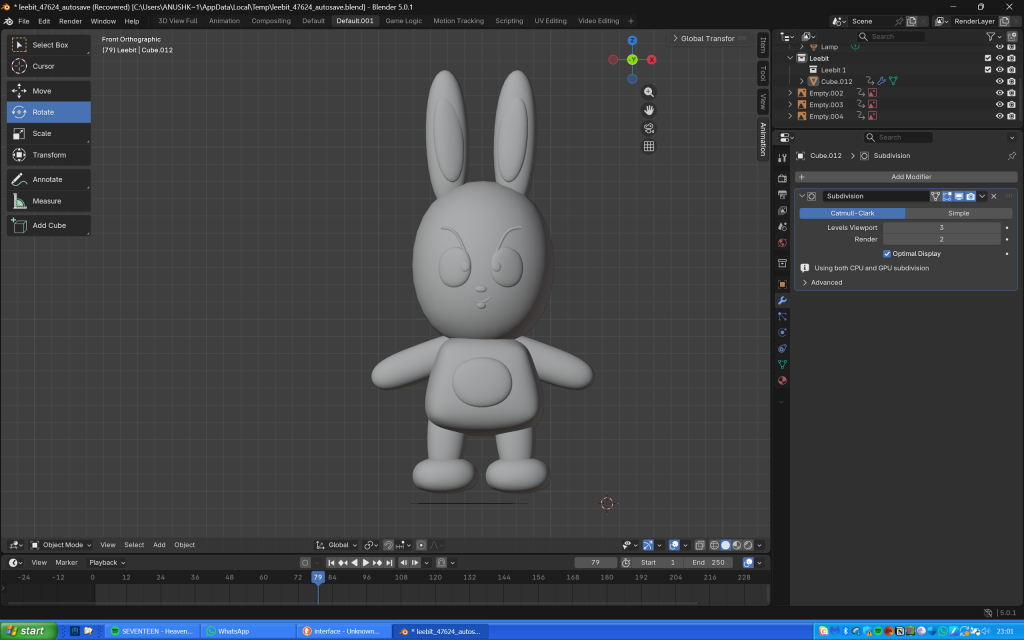
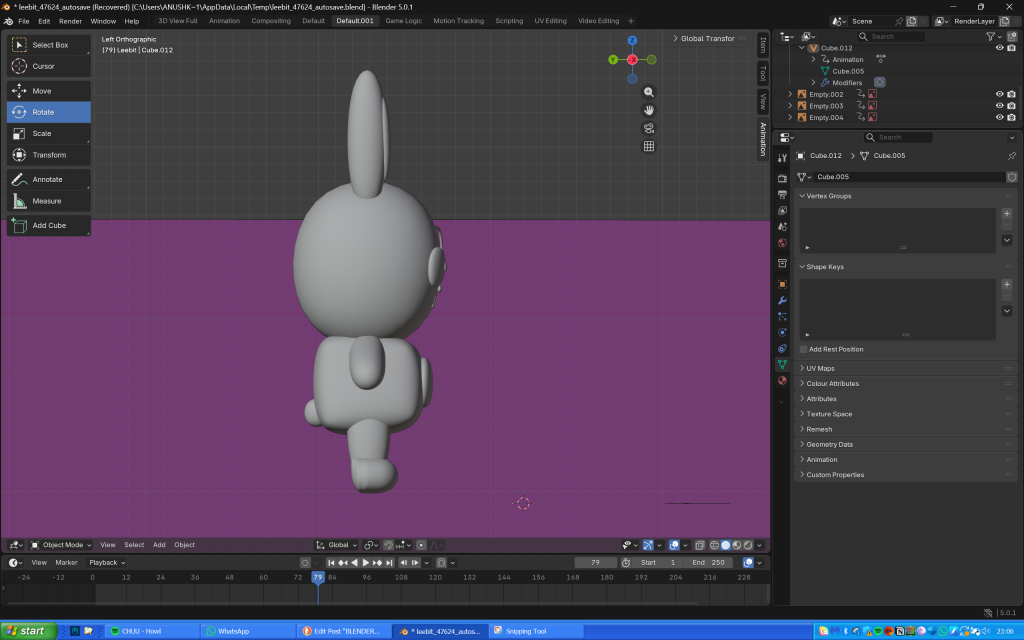
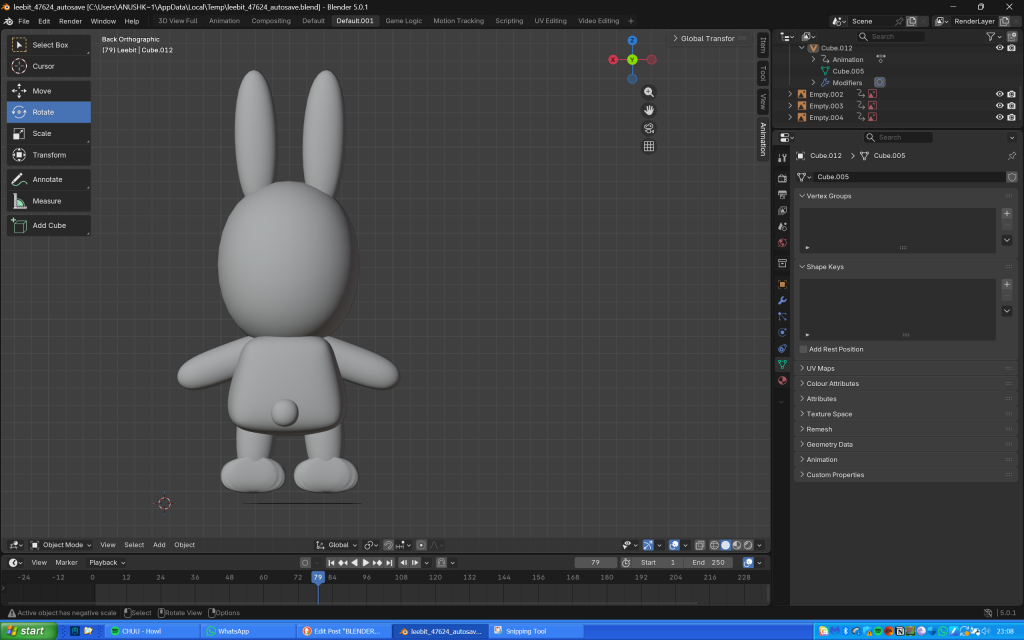
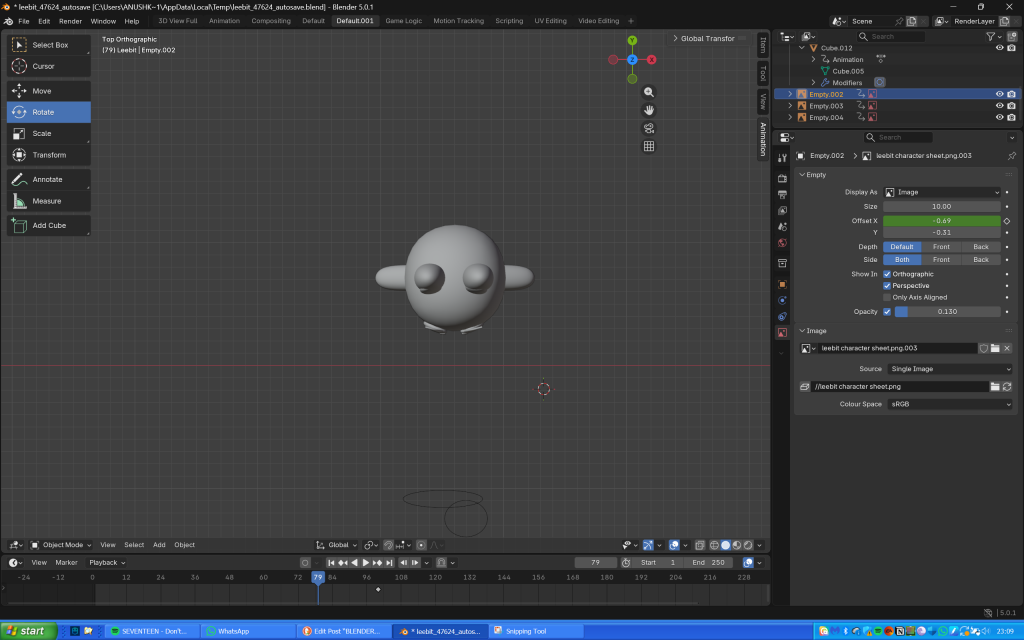
The next day, I used planes to make Leebit’s features (scaling them, making them 3D then shaping them into position), and paths for the antenna looking thing on his eyes (probably an eyelash or eye crease) and his mouth. I didn’t realise that I could make the entire body using just one cube as I ended up using several of them, thinking they would then seamlessly blend together when I used the shade smooth tool.
My progress after finishing shaping Leebit’s features, joining the components and adding the shade smooth tool
Overall he does look slightly misshapen, but I’m so proud of my creation nonetheless as I honestly thought making anything on Blender would be impossible and I wouldn’t be able to do it.
Links to the tutorials I used throughout the project:
I have split the content from Out of your Head into 3 sections to show the production pipeline and the chronology of how we worked throughout the project:
Our initial plan for post-production was for one of our groupmates to finish compositing before sending the file to me to add sound effects to, then sending it back to her to add voice acting. However, the last few days of the project were an unexpected turn of events. She decided to back away from the project, which threw everything off balance since she was in charge of editing and compositing. We then had to scramble to find a way to finish the project, and I was put in charge of editing the clips together alongside sound design.
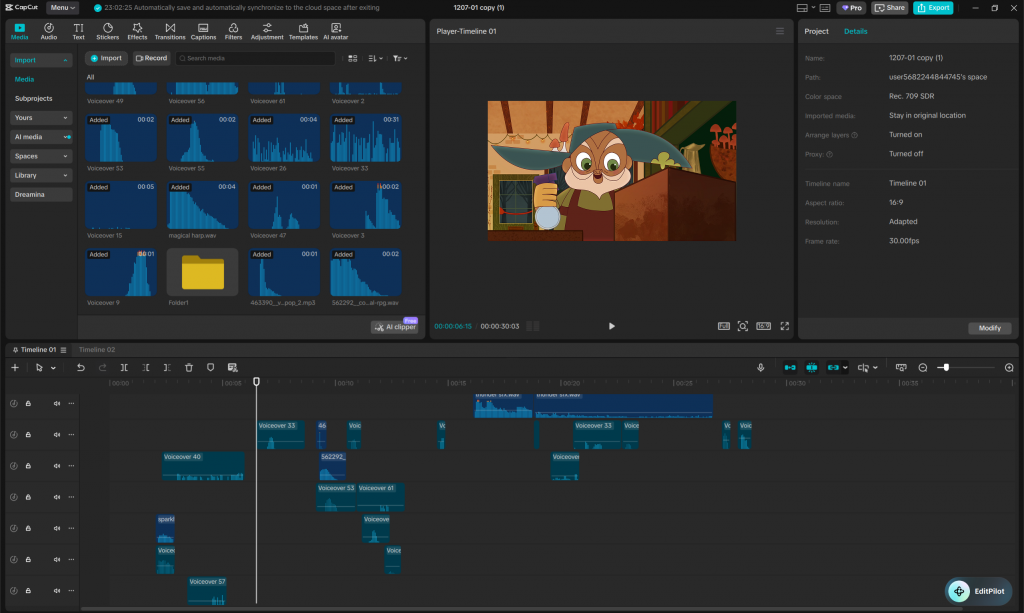
I used CapCut, the same program that I initially used to add sound to the animatic.
My workspace on CapCut.
Firstly, I duplicated the file with the animatic and sound effects, as we decided to reuse the same SFX (including voice acting). I then deleted the original clip and replaced it with everyone’s scenes in chronological order. Afterwards, I moved sounds around to match the timing (as a lot had changed since the animatic), then added more sound effects using Foley and effects from free-sound. Lastly, I voice acted for Phool once again, adding ad-libs such as a gasp or a grunt to scenes that required them. I ended up wrapping up post-production and submitting the final animation the day after.
During this rather stressful period I frequently contacted the rest of the group and updated them on my progress with post-production, with them giving their input and feedback almost immediately. The fact that we all collaborated as a team helped us deliver the animation on time despite the challenges we faced.
FINAL THOUGHTS:
There is a lot of things that I would like to do differently next for the next project. The sound could have been more refined, and although this was largely a result of the issues we had the last couple of days before the film was due, this is still something I would like to improve upon for next time. Additionally, I would like to do rough animation alongside lineart and colour, and I wasn’t able to for this project (apart from for scene 10) due to going on holiday near the end of the Christmas break. I also want to improve upon my backgrounds and and learn compositing since both skills would come in handy in the future.
In retrospect, the issue with clarity was a direct result of not having a producer, only a director. Oftentimes miscommunication derailed parts of the project and sometimes our roles and deadlines weren’t communicated properly. Therefore, I would like the opportunity to take on the producer role in later projects. While I know it would be a challenging experience, I would also love to learn a variety of skills related to teamwork and organisation that would greatly benefit me going forward. Next time, I would like to implement the following solutions to hopefully help in the production process:
Create a schedule that clearly outlines the roles that everyone has been assigned to, whether they have completed their roles and when each deadline is using resources such as a Gantt chart.
Provide information to group members if something hasn’t been explained well and clear up any miscommunication that arises to ensure everyone is on the same page, and we can work as efficiently as possible without any further issues.
If not properly established in pre-production, animators should clearly communicate with each other in terms of whether there are any inconsistencies that may affect the entire animation, for instance shot composition, key details in character designs that may have been missed, possible props to be animated, colour palettes etc.
A group chat should be made to send regular updates of work in progress so that people can help each other in time and we can all collaborate instead of relying on one person to give advice once we’ve finished everything.
Overall, I think our group did a fantastic job given the circumstances, and we executed almost every idea that we previously brainstormed. Everyone worked extremely hard, and the sheer effort and determination definitely paid off in the end. I am so proud of our group and how far we’ve come since the beginning of this project.
I have split the content from Out of your Head into 3 sections to show the production pipeline and the chronology of how we worked throughout the project:
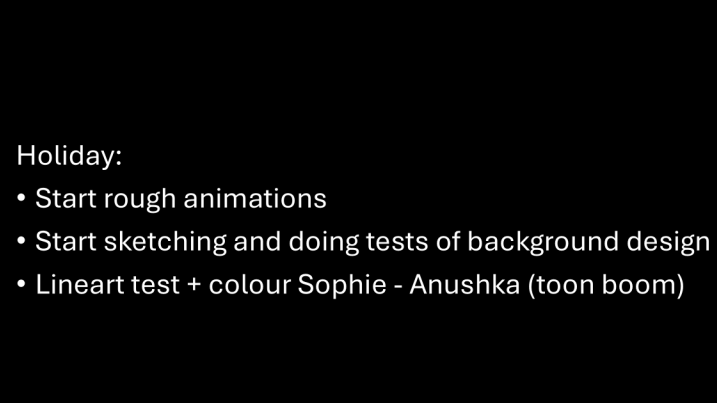
Planning for the production side of the project began just before the holidays, and we created a task-list of what to do during Christmas break as shown below:
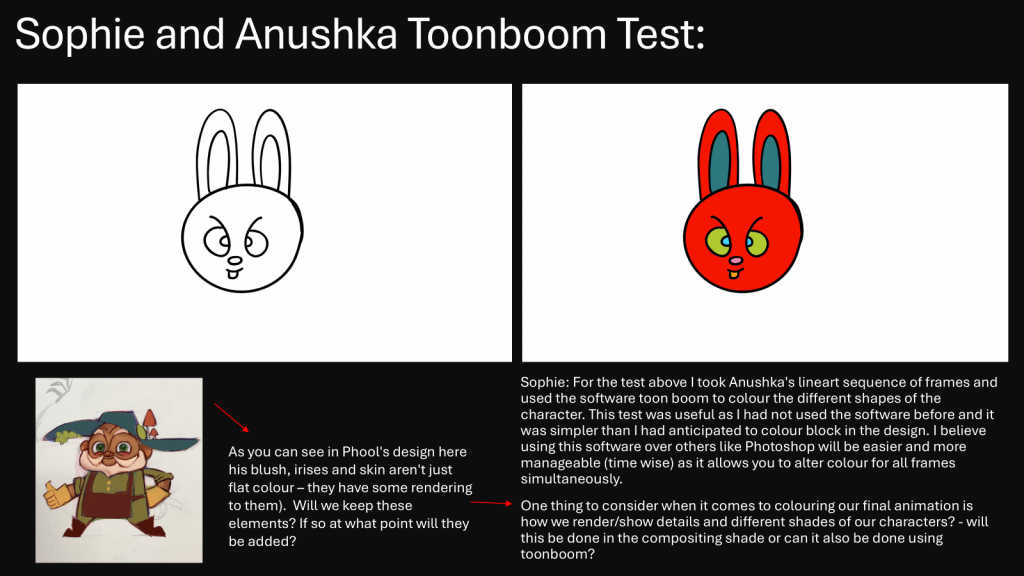
During the holidays, I downloaded ToonBoom Harmony (the software most of us would use for lineart) and watched a tutorial on how to use it, before animating a boil of the character Leebit from the K-Pop franchise SKZOO to send to Sophie to colour.
Lineart test by me.
Colour test by Sophie.
Initially, we had decided that I would lineart and Sophie would colour scenes, however since Sophie had a lot to cover with backgrounds (she designed all of them!) I ended up taking on both lineart and colour (which was honestly more efficient in the long run).
After returning from my holiday, I felt bad as everyone in my group was working so hard, and I wanted to take some of the weight from them and help. Therefore, I got started with animating scene 2 on Toon Boom Harmony.
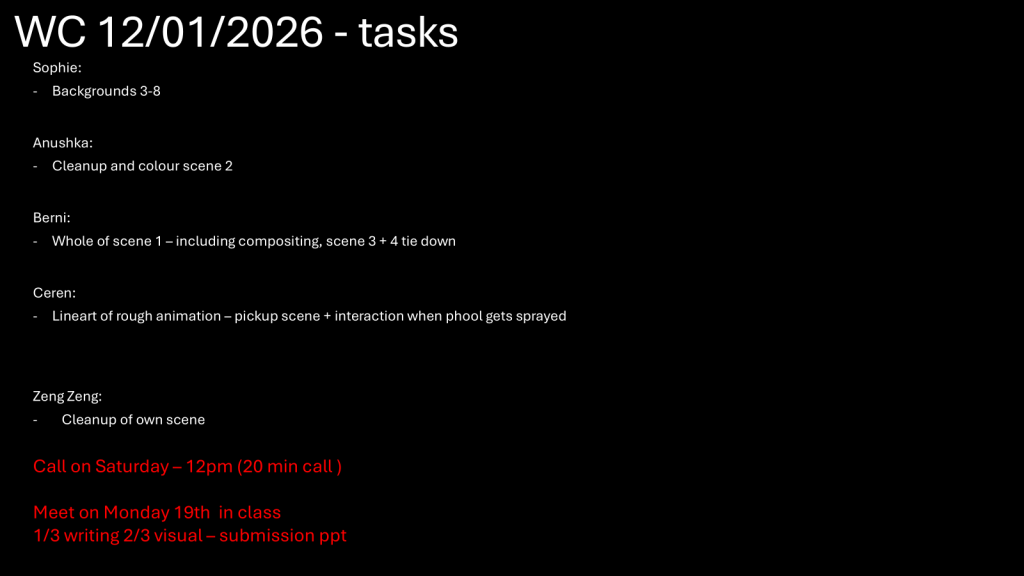
Our tasks during the week we returned to university.
Firstly, I began drawing keyframes (this took me around 2 days to complete), as shown below:
Scene 2 Keyframes. PLEASE NOTE: The video is pixelated and I don’t know how to fix it.
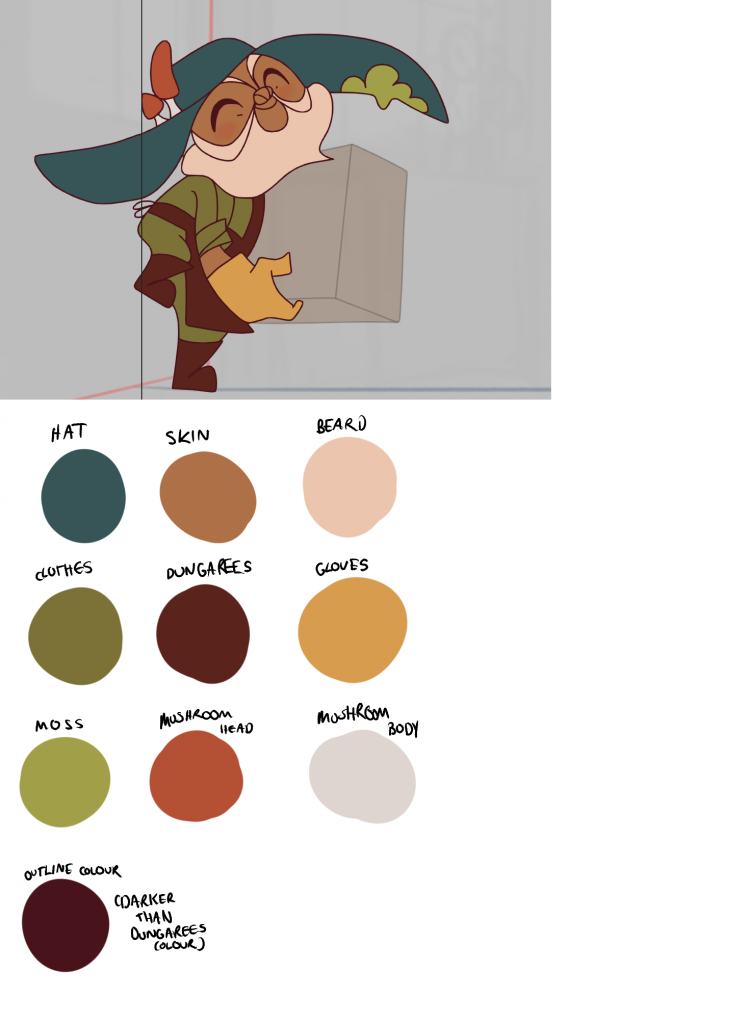
After drawing in the keyframes, I finished in-betweens (which took me another day). I then used the colour palette that Berni collated from her animation of scene 1 and applied it to my own scene (both Phool and the box). Afterwards, I sent the animation to Berni for compositing.
Scene 2 lineart and colour.
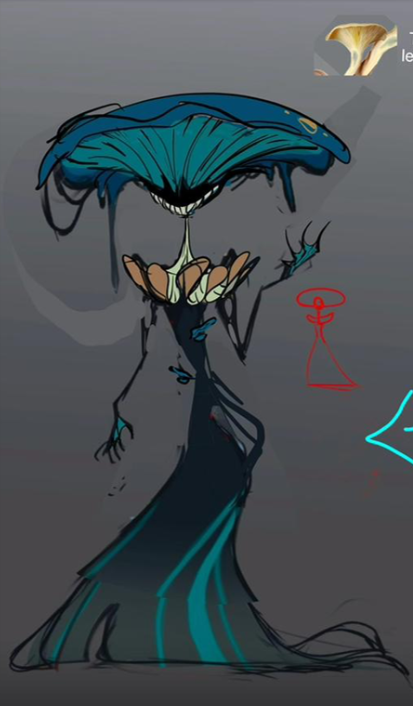
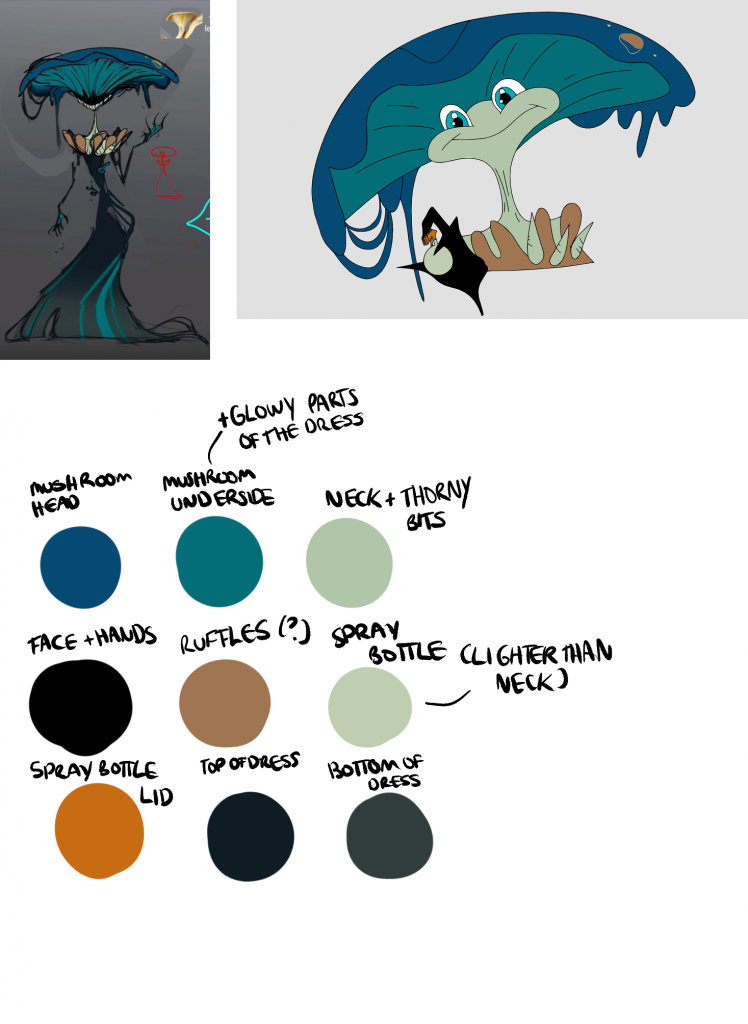
After animating scene 2, I was also given the task to draw scene 10 (rough, lineart and colour). Since we hadn’t actually established the creature’s colour palette, I was told to use the original palette that Zeng Zeng made for the ‘bargain deal’ idea, as shown below:
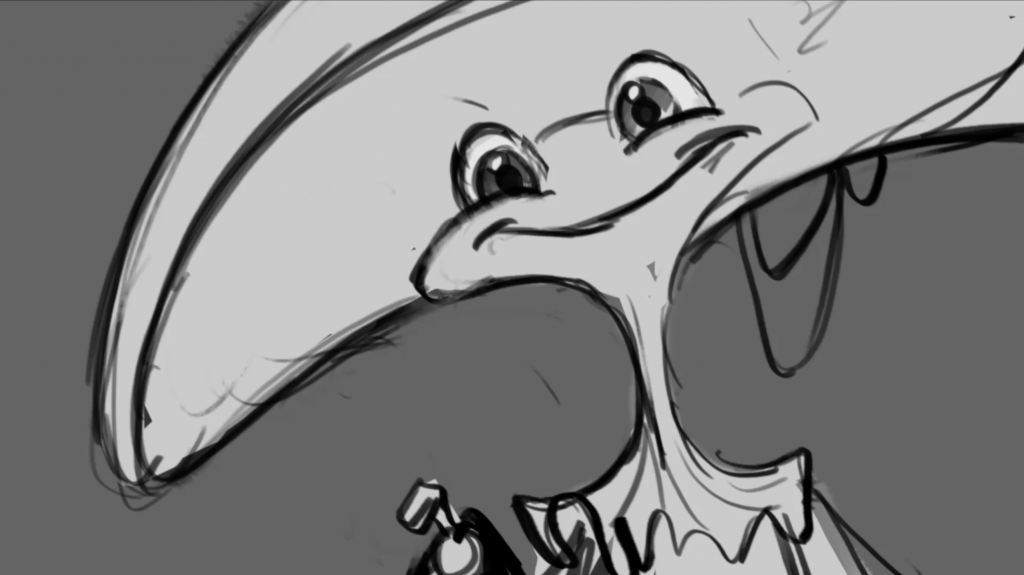
I began by using the animatic as reference and traced rough outlines of the creature using the same brush size I used for Phool (not realising I should have increased the size since she’s a much larger creature than he is and a thinner brush line would make her look disproportionate).
Scene 10 from the animatic (a still, did not have to be animated)
Rough sketch of the creature with colour swatched in as a test.
Scene 10 coloured
Later on, while comparing our progress with the rest of the group, we realised that there were some inconsistencies with our animations as we relied on the animatic as references (we didn’t have anything else to go by). One of the main ones was that the hand used to spray Phool was meant to be the creature’s right, not her left. I tried to alter it on ToonBoom by flipping the hand, but it ended up looking wrong, and after trying to sketch her right hand for far too long I gave up and removed her hand entirely.
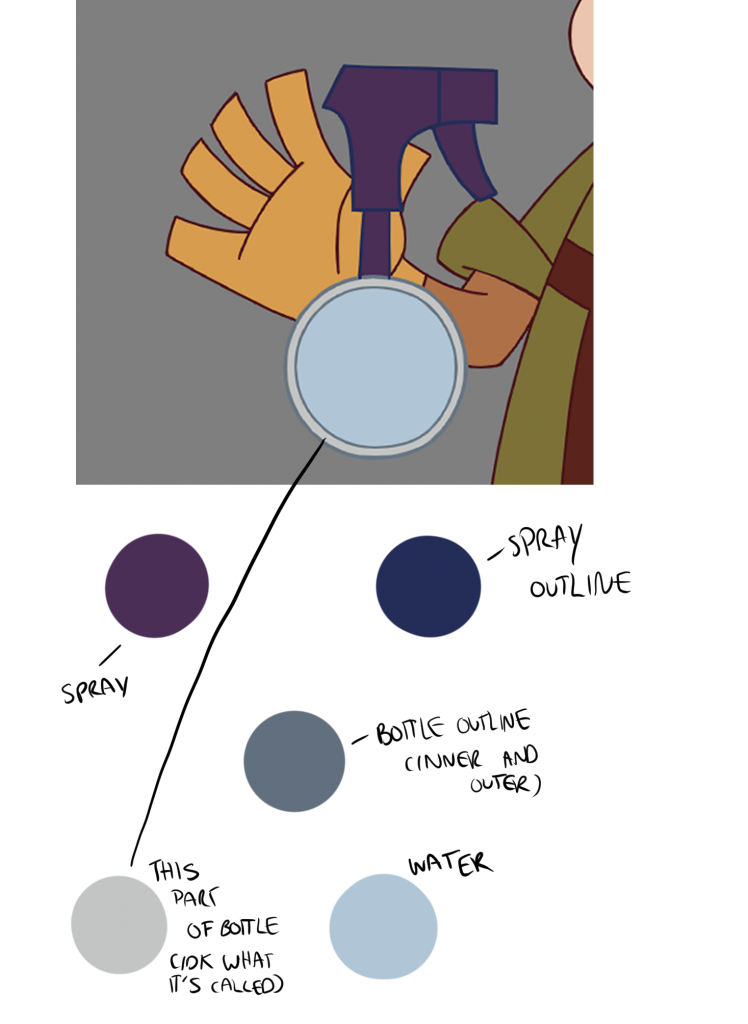
Moreover, we didn’t know what the colour of the spray bottle was, therefore in her scene Zeng Zeng coloured it with a purple nozzle and water inside (light blue). We really liked the design, but Berni wanted the colour changed to reflect the colour palette of the background more, alongside removing the water as it would be more complicated to animate (which was definitely true). The rest of us didn’t agree with the former, and while Berni was adamant to have the colour changed, it didn’t feel significant enough to warrant one, especially since there were already so many more serious inconsistencies such as the hand placement that I discussed above, and we still had our animations to finish. Therefore, we reached a compromise, and retained most of Zeng Zeng’s design while removing the water.
This is what scene 10 looked like after the changes:
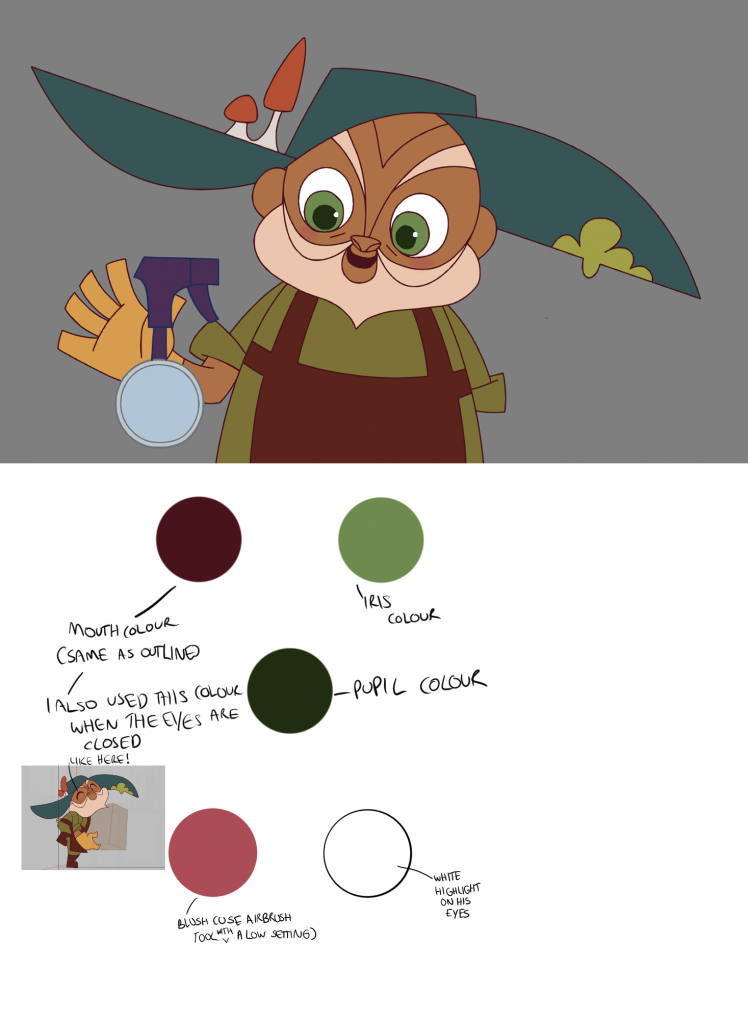
Since a cohesive colour palette was not established, I used my scenes to create one for the group to use. I then updated it later on with features from my later scenes that I wasn’t able to add before, while also adding the new colour palette of the spray bottle.
Original colour palettes for Phool and the creature
Updated colour palette for Phool, including the new design for the spray bottle
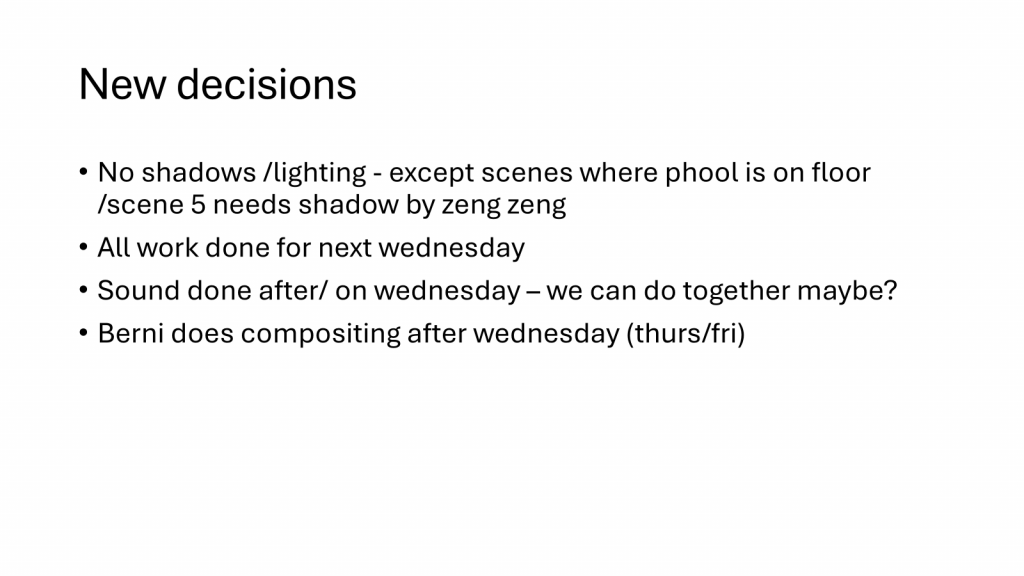
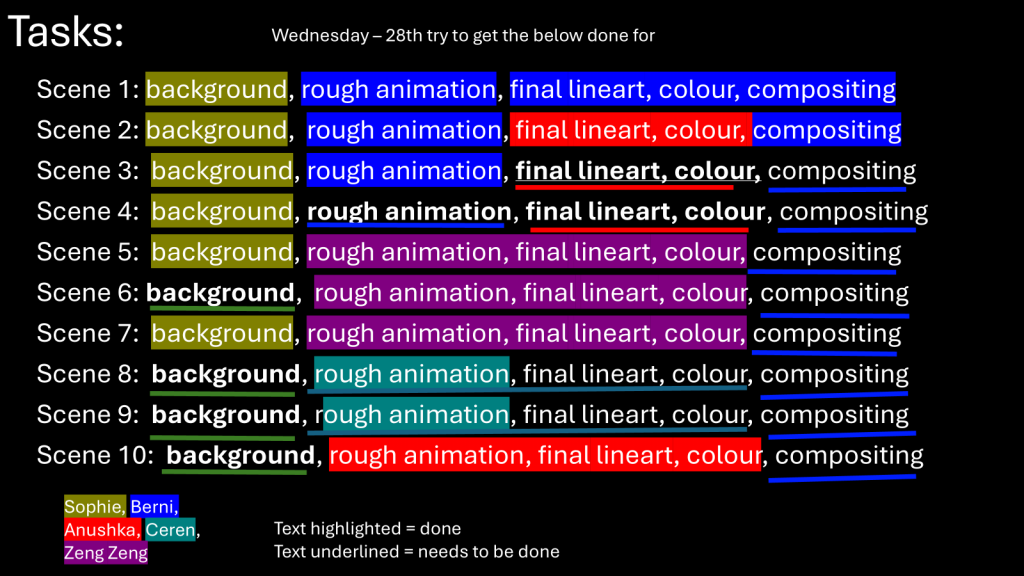
We did encounter a few instances of miscommunication within our group, which was perfectly normal. However, it escalated and essentially exploded a few weeks into the new term, which was necessary yet highly inconvenient. To overcome this, Jess suggested we create a chart where we allocate tasks to each person to be completed by a certain deadline (in our case Wednesday 28th, which was the week after by that point), and colour-code whether the person has finished their task or not. We created an equivalent below:
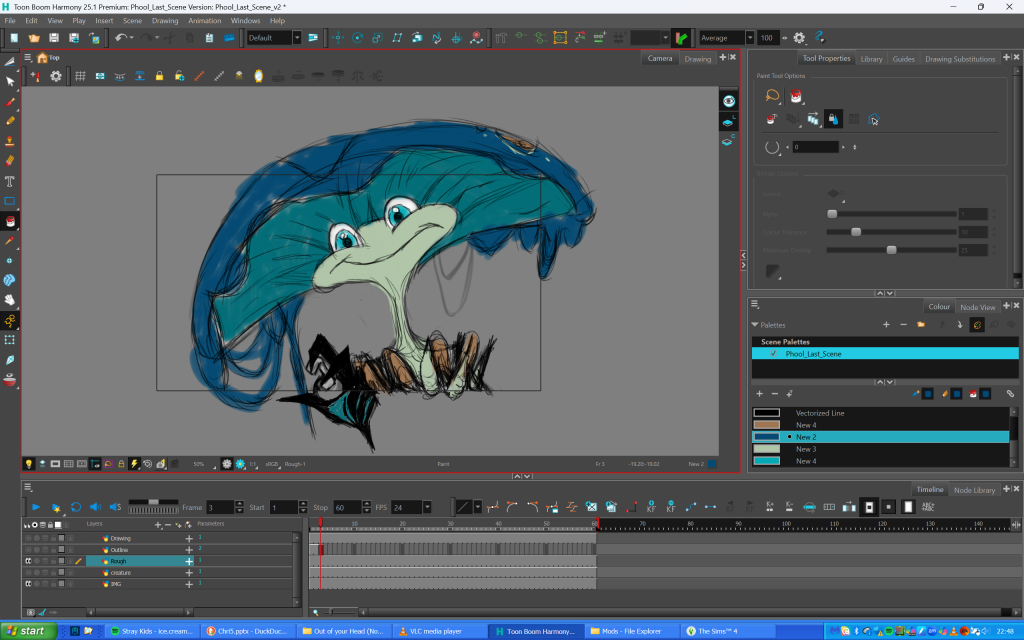
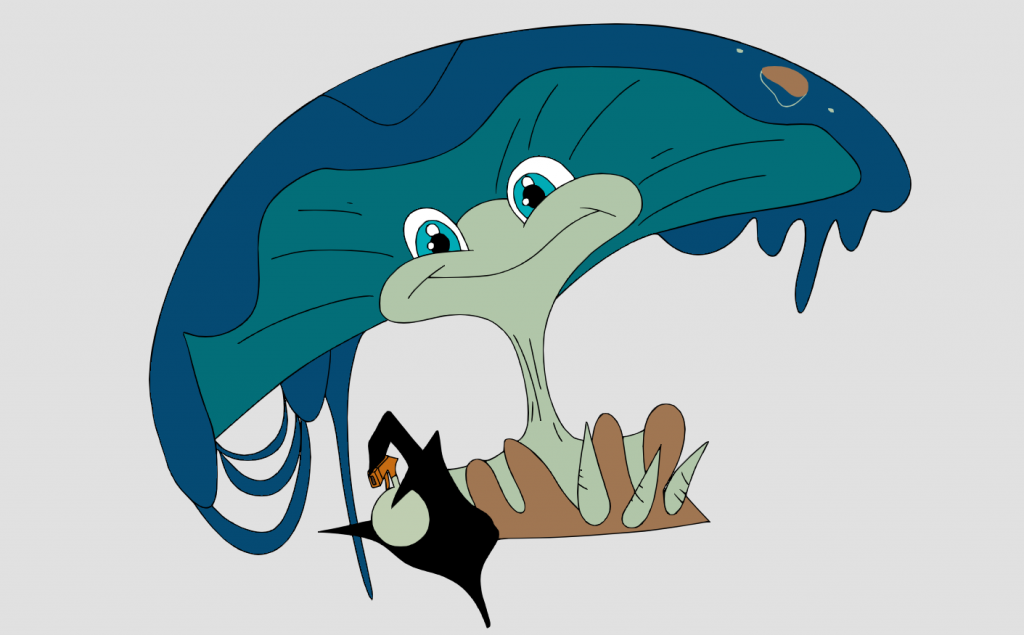
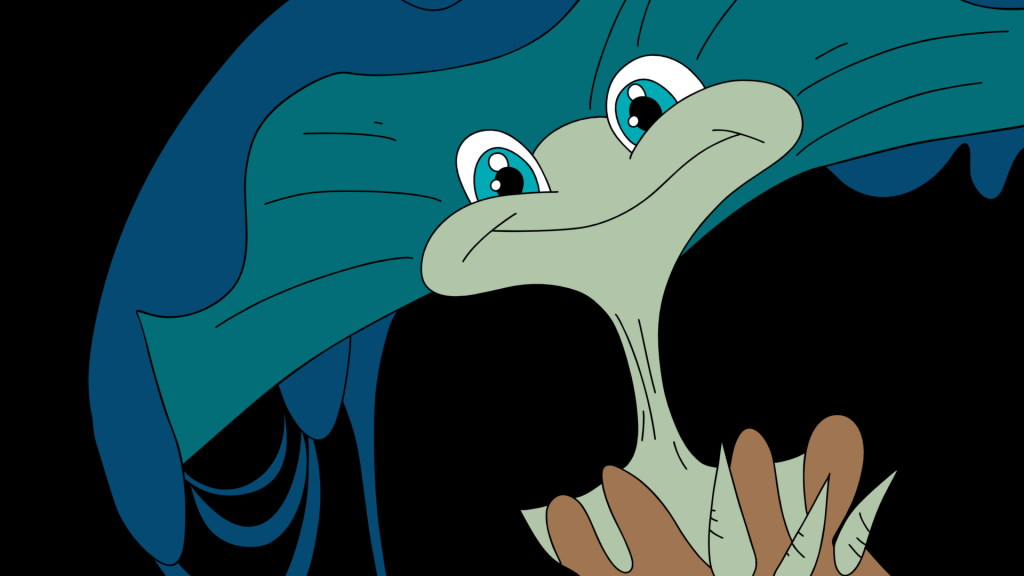
As you can see above, I still had scenes 3 and 4 left to lineart and colour before sending them to Berni for compositing. I was in the process of completing scene 3 at the time, and had to animate each component incrementally before moving onto the next one, hence the various versions shown below. I began with animating the hat since it was the element that I felt the most worried about, so by animating it (alongside the small mushrooms and moss on the hat) first I saved myself a lot of hassle later on.
Scene 3 iteration 1: hat
Scene 3 iteration 2: body
Scene 3 iteration 3: hands and spray
Scene 3 iteration 4: face
Scene 3 iteration 5: colour
Scene 3 iteration 6: blush and highlights
Scene 3 iteration 7: mushroom
Scene 3 iteration 8: water
In regards to scene 3, I was told that if it ever got too much (since I had to take my time with the scene in case inconsistencies arise), someone else could animate scene 4 in my place. It took me almost a week and a half to animate scene 3 due to its sheer intensity and constantly checking for and replacing errors, Therefore, I did end up asking someone if they could animate scene 4 instead.
REFLECTION:
In terms of software, ToonBoom took time to get accustomed to as I was so used to Clip Studio Paint as my preferred program for animation. While I did get used to it after a short while and its user interface became much easier to navigate, I did come across a complication when animating the second scene. For some reason, I had two save files of the same animation, yet only one of them was up to date. Therefore, I clicked ‘save’ and closed both windows before reopening them and checking the file once more. But for some reason, the outdated version was saved instead! I felt extremely panicked because I had finished all of the lineart of Phool by that point, and I genuinely felt as though my life’s work just went down the drain (dramatic I know). Thankfully Berni was there to help and told me that ToonBoom never necessarily deletes work and there’s always a backup somewhere. I ended up finding the lost frames in a backup file and imported them into the scene using the drawing substitutions tab.
Miscommunication became a huge issue in this stage, as whilst we were working on our respective animations, we did need clarity in order to keep everything as consistent as possible. Since we slightly underprepared in the pre-production process, we underestimated just how disruptive this would become to our workload. This was especially in regards to not creating a proper character, expression or height comparison sheet for both Phool and the creature since we assumed we didn’t need them. This impacted my groupmates who merely had the animatic to rely on and were drawing the rough animations from scratch. Therefore when they presented their progress with their respective animations, our groupmate pointed out many details that we never previously established. This led to an array of misunderstandings and a lot of friction within the group that continued despite attempts to resolve it and communicate better.
In general, the production process was exhausting yet highly rewarding. It was good to work on our respective animations in our own time. Whilst lineart was challenging, I learnt so much about how to draw faster and more efficiently, whilst retaining everything laid out in the rough animation. At times I did struggle with consistency, as in scene 2 I relied heavily on the rough animation and ended up drawing the eyebrows with different sizes in each frame! Moreover, I do highly regret not finishing scene 4 by myself, as everyone was burnt out and I should not have used it as an excuse to ask someone else to complete it instead. Next time, I want to handle my workload better and find ways to reduce burnout without procrastinating or offloading my own tasks onto others that are just trying to finish their own. Despite this, I believe I did a good job and was able to replicate the artstyle of the animation to the best of my ability.